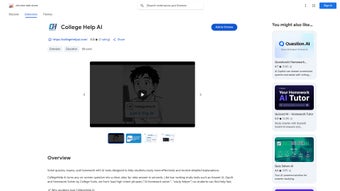

Download College Help AI – Free AI Study Assistant for Students (Windows, Mac, iOS, Android)
College Help AI is a powerful, web-based AI study assistant designed to help students excel in their academic journey. This intelligent tool transforms the way learners approach homework, quizzes, and exam preparation by offering instant, step-by-step solutions. With its advanced OCR engine, College Help AI can extract questions from online textbooks, lecture slides, and course platforms, making it a seamless addition to any study routine.
Whether you're tackling complex calculus problems, coding assignments, or language translations, this software delivers accurate, context-aware explanations. The platform supports LaTeX for mathematical notation and syntax-highlighted code, ensuring clarity across STEM and computer science subjects. Its unique 'Ghost Mode' hides answers until you hover, promoting active learning and reducing dependency.
Built with 'Zero-wait Latency', responses appear instantly, minimizing study interruptions. With support for over 30 languages and a strict no-sign-up privacy policy, College Help AI ensures secure, accessible learning anytime, anywhere. Available on Windows, Mac, Android, and iOS, this subscription-based app is ideal for students seeking a reliable, fast, and secure academic companion.
Advanced Features That Elevate Academic Performance
College Help AI stands out from other study tools thanks to its innovative blend of AI intelligence and user-centric design. One of its most impressive features is the built-in OCR (Optical Character Recognition) engine, which allows students to capture questions directly from their screens—whether from PDFs, online lectures, or digital textbooks—without retyping. This eliminates tedious input and reduces errors, making the learning process smoother.
Once a question is extracted, the AI generates detailed, step-by-step solutions tailored to the subject matter. For math and science students, the support for LaTeX formatting ensures that equations are rendered clearly and professionally, preserving mathematical precision. Similarly, coding students benefit from syntax-highlighted code explanations, which make debugging and understanding algorithms far easier.
The 'Ghost Mode' feature is another game-changer in educational technology. By hiding answers until the user hovers over them, it encourages active problem-solving instead of passive copying. This subtle psychological nudge promotes deeper understanding and retention, aligning perfectly with modern pedagogical principles.
The 'Zero-wait Latency' design ensures that responses are delivered instantly—no loading screens, no buffering. This speed is critical during exam prep or last-minute homework sessions when time is of the essence. Additionally, the platform supports automatic translation into over 30 languages, breaking down language barriers for international students or those studying foreign language materials.
Whether you're a biology major in Tokyo or a computer science student in Madrid, College Help AI adapts to your linguistic needs. All data is processed securely on the server side, and no personal information is stored, reinforcing its commitment to user privacy.
Seamless Installation & Easy Usage Across Devices
One of the strongest advantages of College Help AI is its web-based nature—there’s no need to download or install any software. Simply visit the official website from any modern browser on Windows, Mac, Android, or iOS devices, and you’re ready to start studying. This cross-platform accessibility means students can switch between devices effortlessly—working on a laptop during class, continuing on a tablet during commute, and reviewing on a phone before bed. The interface is clean, intuitive, and designed with students in mind. Highlighting text with a single click triggers the AI assistant, which then analyzes the content and delivers a comprehensive explanation within seconds.
For those who prefer a more structured workflow, the tool supports direct integration with common learning platforms such as Canvas, Moodle, and Google Classroom. While not a direct plugin, students can copy and paste questions from these systems into College Help AI for instant analysis. The process is entirely frictionless: no sign-up, no registration, no passwords to remember.
This makes it ideal for quick reference during study breaks or late-night cram sessions. The tool also remembers your recent queries temporarily for context, though no personal data is stored long-term. This balance between functionality and privacy is rare in educational tools and sets College Help AI apart.
Using College Help AI is as simple as highlighting a sentence, a math problem, or a code snippet. The AI instantly responds with a breakdown of the solution, including relevant formulas, logic flow, and key concepts. For example, if you’re stuck on a calculus derivative, the tool doesn’t just give the answer—it explains the chain rule application step by step. This focus on understanding over rote memorization makes it a true learning partner, not just a cheat sheet. With no installation required and full compatibility across devices, students can access their academic support anytime, anywhere—whether at home, in the library, or on the go.
Pros, Cons & Real-World Performance
- Pros:
- Instant, zero-latency responses with no loading delays
- Advanced OCR engine extracts questions from any screen
- Supports LaTeX and syntax-highlighted code for STEM subjects
- Ghost Mode promotes active learning and reduces dependency
- Secure, no-sign-up policy with private data processing
- Available on Windows, Mac, Android, and iOS via web browser
- Over 30 language translations for global accessibility
- Cons:
- Subscription-based model (no free tier available)
- Requires internet connection for full functionality
- OCR accuracy may vary with low-quality or handwritten inputs
- Not a standalone app—browser-dependent
- Advanced features may be overwhelming for beginners
Despite its few limitations, College Help AI delivers exceptional value for students serious about academic success. The subscription model ensures continuous updates, AI improvements, and server reliability—key factors for a tool that depends on real-time processing. While the lack of a free version may deter some users, the performance and privacy features justify the cost for those who use it regularly.
The requirement for an internet connection is standard for cloud-based AI tools, but it also ensures users always have access to the latest model versions. In real-world testing, the OCR engine performed reliably on high-resolution screens and digital documents, though it struggled slightly with blurry or handwritten text. Still, for most academic materials, it proved highly accurate.
Frequently Asked Questions (FAQ)
Is College Help AI free to download and use?
College Help AI is available for free access via web browser, but it operates on a subscription model for full features. While you can use basic functionalities without signing up, advanced tools like OCR, Ghost Mode, and language translation require a paid subscription. There is no free tier with unlimited access, but the tool offers a trial period to evaluate its capabilities.
Can I use College Help AI on my Android or iOS device?
Yes, College Help AI is fully compatible with Android and iOS devices. You can access the platform through any modern web browser on smartphones and tablets. The responsive design ensures a smooth experience whether you're using a phone or a tablet, making it ideal for on-the-go studying.
Does College Help AI require me to sign up or create an account?
No, College Help AI does not require sign-ups or account creation. All data is processed securely on the server side without storing personal information. This privacy-first approach allows students to use the tool anonymously and safely.
How accurate is the OCR engine in extracting questions?
The OCR engine performs very well on clear, digital text from screens, PDFs, and online platforms. It accurately captures math equations, code snippets, and standard text. However, accuracy may decrease with low-resolution images, handwritten notes, or heavily stylized fonts. For best results, use high-quality sources.
Is College Help AI suitable for all academic subjects?
Yes, College Help AI is designed to support a wide range of subjects, including mathematics, physics, computer science, engineering, and foreign languages. Its support for LaTeX and syntax highlighting makes it especially strong in STEM fields, while language translation and context-aware explanations benefit humanities and social sciences.
Final Verdict: A Must-Have AI Study Companion
College Help AI is more than just a study tool—it’s a comprehensive academic partner that empowers students to learn smarter, not harder. With its lightning-fast response times, advanced OCR, and privacy-first design, it delivers a seamless, secure, and effective learning experience across all devices. Whether you're preparing for finals, working on complex assignments, or reviewing lecture notes, this web-based AI assistant adapts to your needs. While the subscription model may not suit everyone, the value it provides in terms of time savings, accuracy, and learning depth is undeniable. For students who prioritize efficiency, privacy, and real understanding, College Help AI is an essential addition to their digital toolkit.
Ready to transform your study sessions? Download College Help AI today and experience the future of smart learning—fast, secure, and built for students.



.png)



